Latest / Story
What Happens During the RMF Authorize Step, Task by Task?
You have a full package ready, but the decision still feels out of reach.
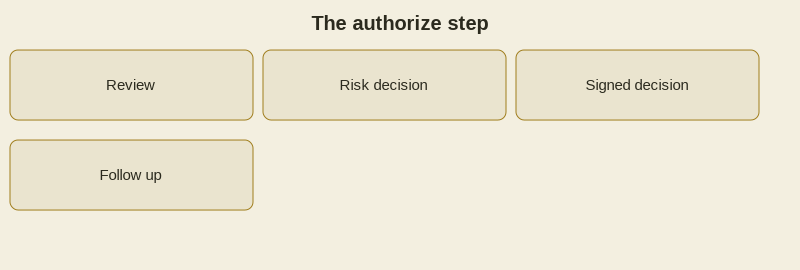
RMF means Risk Management Framework. ATO means Authorization to Operate. AO means Authorizing Official. The AO is the senior leader who accepts risk for the system. NIST SP 800-37 Revision 2 describes the RMF steps. The authorize step is where that leader makes the call.
Task one: review the authorization package
The AO, or a reviewer acting for the AO, reads the package first. The package holds the system description, the security plan, and the assessment results. It also holds the POA&M. POA&M means Plan of Action and Milestones. The POA&M lists each open weakness, its owner, and its due date.
The reviewer checks for gaps in the package. A missing control result is a gap. An open weakness with no owner is a gap. A risk claim with no proof is a gap. Gaps go back to the system team for fixes. A package with open gaps rarely earns a clean decision.
Task two: determine the risk
Next, the AO weighs the risk of running the system. The assessment results show which controls passed and which failed. The POA&M shows what remains open. The system description shows what data the system holds and who can reach it.
Risk is not just a count of failed controls. One failed control on a public web page differs from one failed control on a system holding sensitive data. The AO weighs impact, exposure, and the time left to fix each weakness. That judgment is the heart of the authorize step.
Task three: make the authorization decision
The AO then issues one of three decisions. Authorization to operate means the system may run. Authorization with conditions means the system may run with limits. Denial means the system may not run as proposed.
Conditions often name a deadline for a fix. They may also limit who may use the system. They may limit which data the system may hold. Read each condition as a task, not as fine print. A missed condition can end the authorization early.
Task four: record and share the decision
The decision goes in a signed authorization decision document. That document names the system, the decision, and any conditions. It also names the date the authorization ends or needs review. Keep that document with the package. Share it with the system owner and the security team.
After the decision, monitoring starts or continues. ConMon means continuous monitoring. The system team reports control status on a set schedule. Open POA&M items move toward closure. When a major change arrives, the AO may need to review the system again.
How to prepare for a clean decision
Build the package so the AO can follow it without hunting. Put the assessment summary up front. Link each finding to its POA&M entry. Name an owner and a date for every open item. Flag the highest risk items first, not last.
Brief the AO before the formal review. A short brief that names the top risks and the fix dates helps. It also gives the AO time to ask questions early. Early questions are easier to answer than late ones.
Sources
- NIST SP 800-37 Revision 2.
- NIST SP 800-53 Revision 5.
- Original diagram by PolicyCortex.
Next step
Want evidence tied to each control from live systems? See how PolicyCortex collects it.